Deepfakes in the workplace: how HR teams verify AI-generated evidence
Deepfakes in the workplace can fake a screenshot or recording in minutes. See how HR teams verify AI evidence before it derails an investigation.

A convincing screenshot of a message that was never sent now takes about a minute to make, with tools already sitting in your company's stack. So does a doctored photo, a cloned voice note, or a back-dated email. The barrier that used to protect you, that faking evidence was hard, is gone.
Deepfakes in the workplace have quietly become an employee relations problem, not just a security one. The evidence an employee hands you in a complaint can now be manufactured as easily as it can be collected.
And you cannot count on catching it by eye. In a 2025 iProov study, only 0.1% of people could reliably tell real images from fake ones, even when they were warned to look. Your investigators get no such warning.
This is the reference to keep open when a questionable screenshot lands in a live case: how to check it, how to weigh it, how to protect both sides while you do, and what the law now expects of you.
Why deepfakes in the workplace are now an HR problem
Two things changed at once. The tools got free and effortless, and most investigation processes still assume a piece of evidence is real until someone proves otherwise.
That assumption is no longer safe.
Two real cases show the range of what your team is exposed to.
In January 2024, a finance employee at the engineering firm Arup joined a video call with people he believed were his CFO and senior colleagues. Every face on that call was AI-generated, and he approved 15 transfers worth roughly $25.6 million before anyone realized the meeting had never happened.
The second case is closer to home for HR. A school athletic director used AI to fabricate an audio clip of his principal making racist remarks, then let it spread, after the principal had opened a theft investigation into him.
The clip was convincing enough to put the principal on leave, and it took forensic analysis and the IT trail to prove it was fake. The fabrication was the retaliation.
The financial exposure is climbing alongside the reputational one. Deloitte projects that generative AI could push US fraud losses to $40 billion by 2027, up from $12.3 billion two years earlier.
The lesson for your team is narrower than those headlines, though. You do not need a $25 million wire to have a problem. You need one fabricated screenshot in one contested case, and a process that was never built to question it.
What counts as a deepfake at work
It is any image, video, audio clip, or screenshot that AI generated or altered to look real. The versions that reach an HR case are quieter than the celebrity videos in the news, and a lot more practical.
The forms your team will actually see:
- Fabricated screenshots of texts, Slack or Teams messages, or emails that were never sent
- Edited or fully generated photos that place someone somewhere they never were, or show an injury that never happened
- Cloned voice notes and voicemails built from a few seconds of real audio
- Deepfake video, including live faces on a conference call
- Altered records: pay stubs, doctor's notes, performance reviews, signed acknowledgments
Investigators bundle all of this under one term, synthetic media. The label matters less than the shift behind it, which is that the cost and skill of faking a document have both dropped to almost nothing.
How is this different from regular photo editing?
The skill barrier disappeared. Faking a screenshot used to mean knowing Photoshop, working layer by layer, and even then the edges usually gave it away. A patient reviewer could find the seams.
That is no longer how it works. A general image tool now rewrites the text inside a screenshot from a plain-English request, with no design skill and no obvious artifacts.
The people who study this are blunt about where it leaves us. After his firm's loss, Arup's chief information officer recreated a working deepfake of himself in about 45 minutes using free, open-source tools. If that is the floor, your investigators cannot treat "it looks real" as evidence of anything.
Where AI-generated evidence shows up in employee relations cases
It surfaces wherever someone has a reason to change the record. In practice that means three places: harassment complaints, retaliation, and contested exits. Each one breaks a little differently, so it helps to know the shape of the problem before it arrives in your inbox.
Harassment and hostile work environment complaints
Here the fake can be the harassment itself, or the supposed proof of it, and that double role is what makes these cases hard.
Picture a doctored image of an employee, built to embarrass or discredit them, dropped into a team channel. The image is fake, but the screenshots, the side conversations, and the hit to that person's standing are all real. By the time you confirm it was generated, the damage has already traveled.
Now flip it around. An employee submits a screenshot of a threatening message from a coworker to support a harassment complaint. If that message was fabricated, the accused is suddenly stuck proving a negative: that they never sent something that looks, on screen, exactly like they did.
Both situations land on your desk as "here is the evidence," and often both sides arrive with screenshots. At least one set may be invented. Your first job stops being "what happened" and becomes "is any of this real."
The exposure does not end with the two employees either, which the liability section below gets into.
Retaliation and getting ahead of an investigation
Synthetic media is a cheap, fast weapon for someone who wants to settle a score or muddy a case against themselves.
The school case is the template. Someone under investigation fabricates something ugly, attributes it to the person investigating them, and lets it circulate. The aim is not only revenge; it is to discredit the investigator and poison the well before any findings land.
Timing is your first tell. Evidence that appears right after a write-up, a denied promotion, or a fresh complaint deserves a harder look than evidence that existed before anyone had a motive. A conveniently perfect screenshot is not proof of a fake, but it is a reason to slow down.
A motive never makes evidence fake on its own. It just makes verifying it non-negotiable, because acting on a planted file here means firing, or clearing, the wrong person.
Terminations, performance, and leave disputes
Contested exits are where fabricated paperwork shows up most, because the stakes are high and the documents are easy to alter.
An employee fighting a termination might produce an altered chat log that rewrites who said what. A manager building a case might lean on a back-dated warning or a review edited after the fact. The fake can come from the employer's side as easily as the employee's, which is a nuance that catches teams off guard.
Leave and accommodation cases have their own version. A fabricated or edited doctor's note can manufacture a request that never had a clinical basis, and most teams never call the provider to confirm.
These are exactly the documents HR approves at face value every week. That habit, built when forging a note took real effort, is the gap. When the source is a personal phone or inbox rather than a company system, there is still a right way to handle social media evidence.
The quieter damage: what fabricated evidence does to trust
The case in front of you is not the only thing at risk. Every fabricated screenshot you treat as real, and every real one you wave off as fake, teaches your workforce something about how your process actually works.
Two people lose when you cannot tell. A genuine victim who brought real evidence watches it get second-guessed, and an innocent employee watches a convincing fake get believed. Both walk away trusting you less.
There is a reporting cost on top of that. People speak up when they believe the process is fair and competent. If employees come to think a good fake beats the truth in your hands, the ones with legitimate concerns are the first to go quiet.
That is the real reason to get verification right. It is not only about the single case. It is about whether anyone keeps bringing you the next one.
How AllVoices helps here
This is the gap AllVoices is built to close. Reports, files, and messages arrive in one place with a time-stamped trail, so the question of where a piece of evidence came from has an answer instead of a shrug. A process that can show its work is one employees keep trusting enough to use.
How to spot a fake screenshot or manipulated image
Start from a hard truth: you usually cannot spot a good fake by looking at it. So the work is not staring harder at the image. It is verifying where the image came from.
Visual cues still exist, like warped text, mismatched shadows, or hands that do not quite work. But the tools fix those flaws every month, and a clean-looking file proves nothing.
Detection is a losing game. Verification is a winnable one.
Laura Azzarella has watched that barrier collapse in real time.
"The curtains really pull back, and literally anyone with any background can generate an image in seconds." - Laura Azzarella, PHR, president of the Buffalo Niagara Human Resources Association
She said it during the AllVoices session Don't Trust the Screenshot, alongside director of customer success Madyson Kmiec, and the takeaway is the one your team should adopt: chase the source, not the pixels.
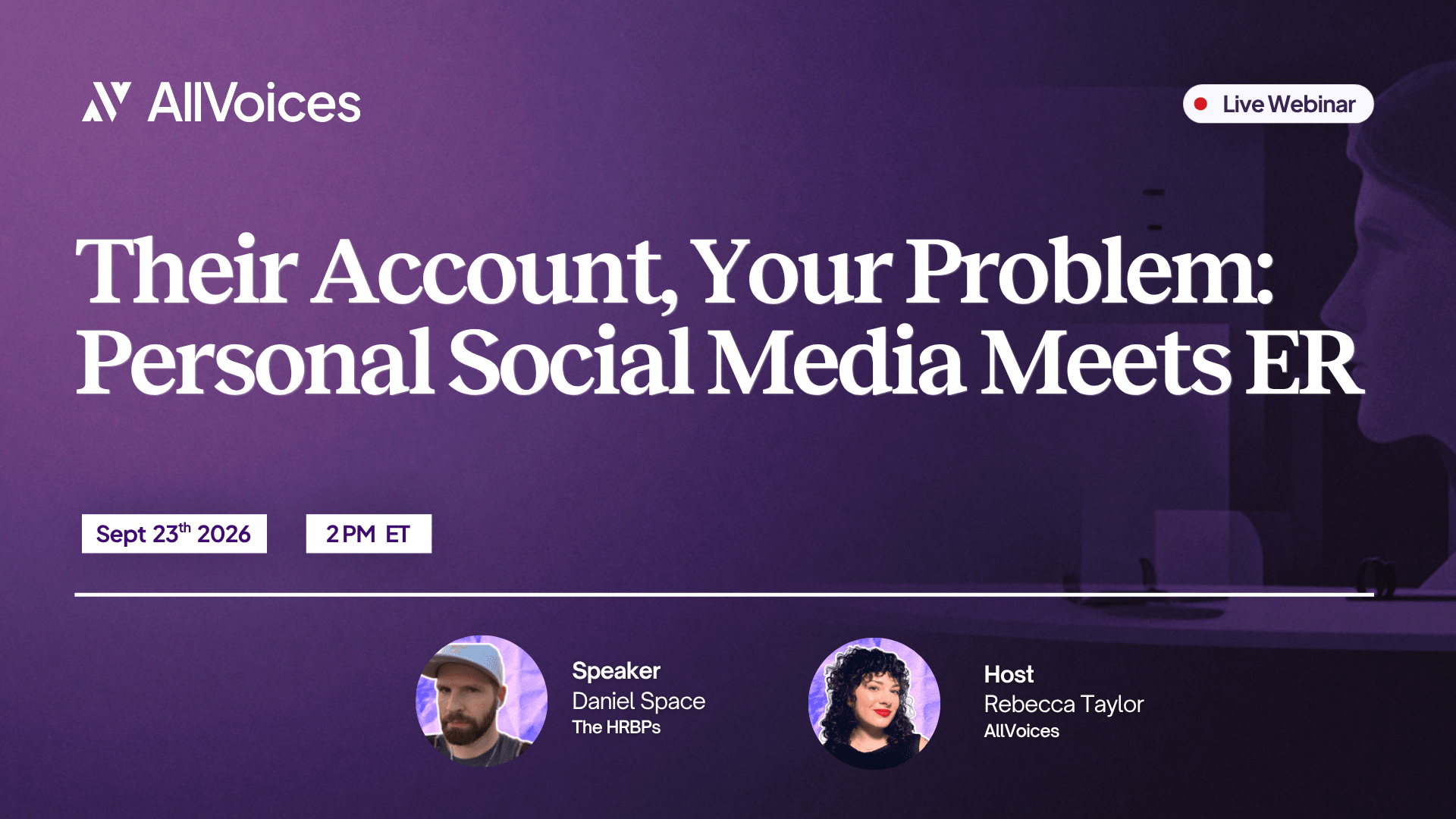
On-demand webinar
Don't Trust the Screenshot: AI-Generated Evidence and the Future of ER Investigations
Laura Azzarella (Buffalo Niagara HRA) and AllVoices' Madyson Kmiec, hosted by Rebecca Taylor, on how to verify AI evidence before it shapes a case.
Watch the sessionHere is the order of operations:
- Ask for the native file: the original in Slack, the email with full headers, the photo straight off the device.
- Check the metadata. Originals carry creation dates, device info, and edit history. A screenshot of a screenshot carries almost none.
- Run a reverse image search. Generated and stock images often surface their real origin.
- Pull the system record. Most platforms let an admin export the real history to compare against what was submitted.
- Bring in IT or security early for logs, headers, and device data an investigator cannot reach.
One rule sits above the rest. If the person who submitted the evidence cannot or will not produce the original source, that refusal is itself a finding.
Heads up
Metadata can be stripped, and visual cues get less reliable as the tools improve. Never decide based on the fact that an image looks real, or that it looks fake. Confirm the source, or label it unverified and keep it out of the finding.
Checking a screenshot or message thread
Compare what you were handed against the platform's own record. Slack, Teams, and most email systems let an admin export the real thread, with timestamps and message IDs a fabricated image cannot reproduce.
The logic is simple. If the message exists in the system export, it is real. If it does not, you have your answer, no matter how authentic the screenshot looks.
Checking a photo or image
Ask for the file straight off the device, at full resolution, rather than a re-saved or forwarded copy that has had its history stripped. Then read the metadata for the creation date, the device, and any sign of editing.
Run a reverse image search while you are at it, since generated and stock images often surface their real origin. A photo with no source and no metadata is not proof. It is a lead you still have to chase.
Checking audio and video
Request the unedited original, then listen past the words. Flat breathing, pauses in odd places, and lip movement that drifts out of sync are all worth flagging.
For anything that could change an outcome, bring in a forensic analyst rather than trusting your own ear. The fabricated recording in the school case was caught by expert analysis and the IT trail, not by how it sounded to the people who first heard it.
How to rate AI-generated evidence in an investigation
Stop sorting evidence into real or fake. That binary is exactly what a good fake exploits. Grade it instead by how independently you can verify it.
A lone screenshot from someone's phone and a message your IT team pulled straight from the system can look identical, but they are not the same evidence. One you can stand behind. The other you cannot, at least not yet.
The Don't Trust the Screenshot session used a four-level scale for this. The version below is built so your investigators can apply it to any item in a case, in the moment:
| Level | What it means | Example | How to treat it |
|---|---|---|---|
| 1. Verified at source | Pulled straight from the system that created it, with metadata or an admin export | A Slack message IT exported from the workspace | Highest weight. Can support a finding. |
| 2. Corroborated | A copy that matches an independent record or a credible witness | A forwarded email that matches the mail server log | Usable, with the corroborating source noted. |
| 3. Unverified but plausible | No source confirmation yet, nothing obviously wrong | An employee's phone screenshot of a text | Collect it. Keep verifying. Do not rely on it alone. |
| 4. Unverifiable or suspect | No source, signs of editing, or the original is withheld | A forwarded image with stripped metadata and no native file | Do not decide on it. Treat possible fabrication as its own issue. |
The point of grading is restraint. An unverified screenshot does not clear the burden of proof that already sits on you, so it cannot carry a finding by itself.
Use the weak material as a thread to pull, not as the conclusion. Then weigh it against the evidence that holds up: documents, witnesses, and system records read together, where one corroborates another.
What to do when evidence is disputed or looks fabricated
The instinct in the moment is to react to the content of the evidence. Resist it.
Until you have confirmed where the item came from, keep it out of your decision entirely. The two ways this goes wrong are mirror images: you punish someone over a file that turns out to be invented, or you dismiss real evidence because doubting it was easy. Both end in a decision you cannot defend.
How to handle the disputed file
A repeatable sequence keeps you out of both ditches:
- Preserve the original. Do not delete, crop, or re-save it. Store it exactly as received.
- Request the native source from whoever submitted it, and document the request.
- Loop in IT or a forensic specialist for anything that could change the outcome.
- Record the chain of custody: who handled the file, when, and what was done to it.
- Hold the finding. Do not confront the other party with an item you have not verified.
Documentation is what protects the whole thing. If you are not sure what a defensible record looks like, AllVoices lays out what a defensible report needs and how to run the investigation end to end.
And remember that faking evidence is its own misconduct. Once you confirm a file was fabricated, that finding usually belongs in the case on its own, separate from whatever the original complaint alleged.
How to question evidence without accusing the person
Verification only works if it does not feel like an accusation. The person handing you a real screenshot in good faith should not feel suspected for cooperating.
The fix is to make it routine and to say so out loud. Tell everyone, up front, that your process confirms the source of any digital evidence before it is used in a finding. When that is the standard for every case, asking for the original reads as procedure rather than distrust.
A few habits keep it even-handed:
- Ask for the source the same way every time, no matter who submitted it.
- Explain that confirmation protects them too, especially the person the evidence is about.
- Keep whether a file is real separate from whether the person is credible. Those are different questions, and conflating them is how good people get disbelieved.
What deepfakes mean for employer liability and compliance
A deepfake you had no part in creating can still become your legal problem the moment it spreads at work. That surprises a lot of HR teams, so it is worth being precise about.
If an AI-generated image targets an employee's protected characteristics and circulates among coworkers, it can contribute to a hostile work environment claim under Title VII. At that point the legal question is not who made it. It is whether you acted once you knew.
Employment lawyers are already drawing that line. Reporting in Bloomberg Law notes that an employer does not need to have created the deepfake to face liability, because what matters is the response. Courts tend to weigh whether company equipment or accounts were used, whether a manager was involved, and how quickly you stepped in.
The statutes are moving in the same direction:
- The federal Take It Down Act, signed in 2025, targets AI-generated images used to harass or impersonate people and requires platforms to remove flagged content within 48 hours of a valid request.
- The DEFIANCE Act cleared the Senate by unanimous consent in January 2026 and would give targets a civil claim worth up to $150,000, or $250,000 when the fake is tied to harassment.
- More than 45 states have passed their own deepfake laws, so your obligations now vary by where your people sit.
For HR, that compresses into three duties:
- Treat a complaint about a fabricated image as seriously as any other harassment report.
- Preserve the evidence rather than deleting it, even when the instinct is to make it disappear.
- Document a prompt, deliberate response, because a deepfake aimed at an employee can also be defamation, and your handling of it is what a court will examine later.
None of this is legal advice, and the rules are shifting quarter to quarter. Confirm how they apply to your workplace with your employment counsel.
How to build verification into your investigation process
Everything above is reactive. The teams that come out of this well make one move before the first fake ever arrives: they build verification into the process so no single screenshot can decide anything on its own.
Reacting case by case is how a fake slips through, because the pressure of a live, emotional case is the worst possible moment to invent a standard. A standing process takes the improvisation out of it.
Five changes cover most of the gap:
- Require a native source in your investigation policy for anything used in a finding.
- Require out-of-band confirmation for high-stakes claims: a second channel, a known number, an in-person check.
- Train investigators on synthetic media so they ask for sources by reflex, not suspicion.
- Define when IT, security, or a forensic analyst gets pulled in, and at what threshold.
- Keep evidence in one system with an audit trail, so the original file and its full history stay intact.
Notice that none of these is a detection tool. The teams that handle synthetic media well are not the ones with the fanciest scanner. They are the ones who decided, in advance, that evidence earns its weight by being verifiable, not by looking convincing.
How AllVoices helps here
Most of this falls apart when evidence lives in scattered email threads and shared drives. Tampering is invisible there, and no one owns the record.
Keeping every case in one auditable system gives you a single, time-stamped account of what was submitted and what was done with it. That record is the backbone the rest of the process leans on.
Deepfakes in the workplace: frequently asked questions
Can AI fake a screenshot or text message?
Yes. Free image tools can generate or rewrite the text inside a screenshot from a plain-English prompt, often on the first try. A fabricated thread can look identical to a real one, so verify the source, not the picture.
How accurate are people at spotting deepfakes?
Not accurate. In a 2025 iProov study, only 0.1% of people correctly sorted real content from fake even when told to look for fakes, and people catch high-quality deepfake video only about a quarter of the time. Verify the source instead of trusting your eyes.
How can HR tell if a screenshot or image is fake?
Check the source, not the pixels. Ask for the native file, read the metadata, run a reverse image search, and pull the real record from the system through IT. If no one can produce the original, treat it as unverified.
Is a screenshot valid evidence in a workplace investigation?
It can be, but its weight depends on whether you can verify where it came from. An unverified screenshot does not meet the burden of proof on its own. Grade evidence by how independently you can confirm it, and check employment-law specifics with your counsel.
What should HR do if an employee submits fake evidence?
Preserve the original, request the native source, and bring in IT or a forensic specialist before you act. Document every step. Once you confirm a file was faked, that fabrication is usually its own misconduct finding, separate from the original complaint.
Can an employer be liable for a deepfake an employee created?
Possibly. A deepfake that targets an employee's protected characteristics and circulates among coworkers can contribute to a hostile work environment claim under Title VII, and you do not need to have created it to face exposure. Courts weigh whether you acted once you knew. This is general information, not legal advice.
What should a workplace deepfake policy include?
A rule requiring a native source for anything used in a finding, out-of-band verification for high-stakes claims, a defined point where IT or a forensic analyst is pulled in, investigator training on synthetic media, and a clear ban on creating or sharing AI-generated content about coworkers. Keep case files in one system with an audit trail.
.svg)
.svg)